Container Escape Risks: Detection and Prevention
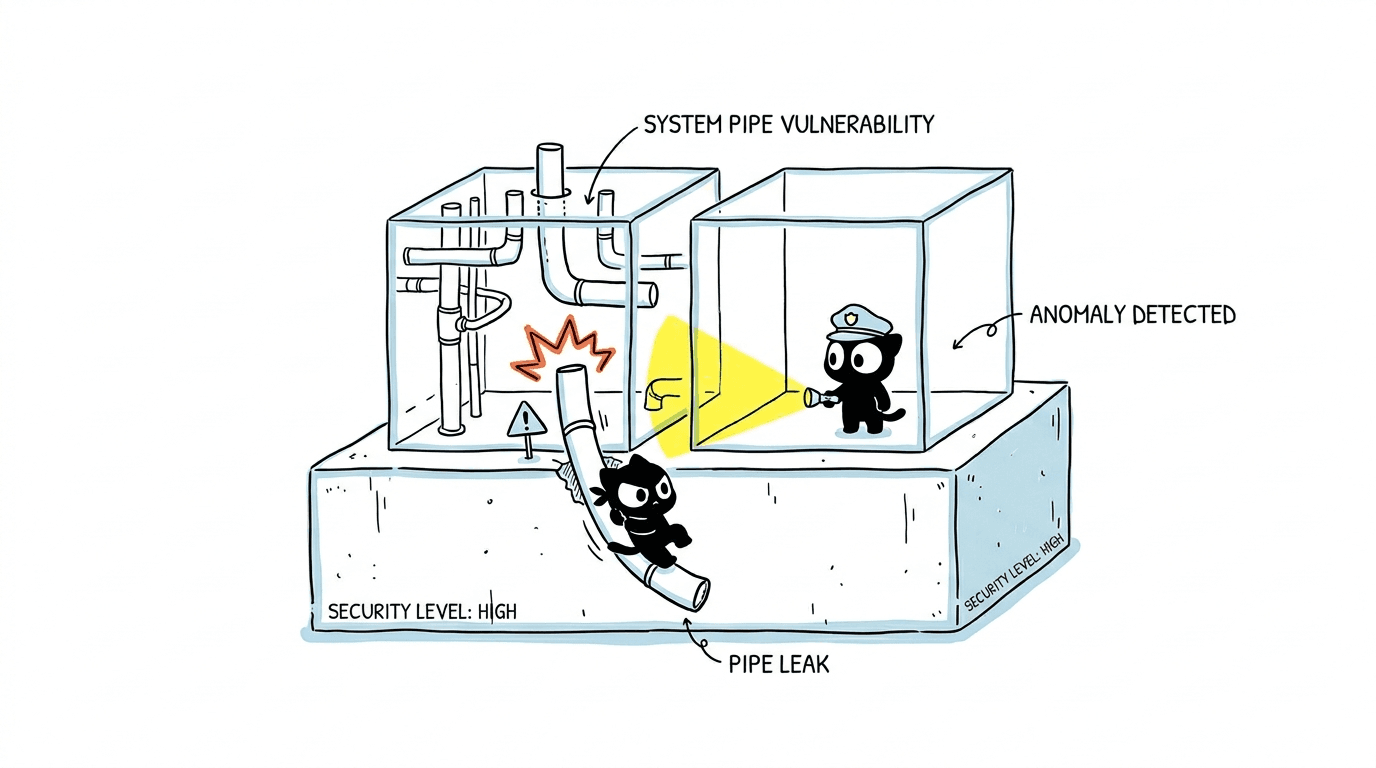
A practical guide to how container escapes happen, how to detect them, and how to harden your workloads against them.
Container Escape Risks: Detection and Prevention
The Simple Definition
A container escape is when a process inside a container breaks out of its isolation boundary and gains access to the host machine, or to other containers running on it.
In other words: the bubble that was supposed to keep the workload contained gets popped, and the attacker is now standing on the foundation that every other container is sitting on.
The Real-World Analogy
Picture that same co-working office building from the container isolation analogy.
- Each company has its own locked office.
- The building has a shared lobby, elevators, and electrical room.
A container escape is the equivalent of someone in one office:
- finding an unlocked maintenance door,
- crawling through the air vents into the electrical room,
- and from there, getting master keys to every office in the building.
The walls between offices were fine. The problem was a weak door, an over-privileged badge, or a maintenance hatch that should have been bolted shut.
That is exactly how container escapes work in practice: rarely a brute-force break, almost always a misconfiguration, an over-permission, or an unpatched kernel.
How Container Escapes Actually Happen
Most real-world escapes fall into a small number of repeating patterns. Understanding them is the fastest way to defend against them.
1. Running containers as root
If a container runs as UID 0 (root) and user namespaces are not enabled, that root inside the container is often very close to root on the host. Combined with any other weakness, this turns a small bug into a full compromise.
2. Privileged mode
Running a container with --privileged disables most security features at once:
- all Linux capabilities granted
- device access opened
- seccomp and AppArmor effectively bypassed
A privileged container is essentially a process with root on the host wearing a container costume.
3. Dangerous bind mounts
Mounting sensitive host paths into a container is one of the most common escape vectors:
/— full host filesystem/var/run/docker.sock— control of the Docker daemon means control of the host/procor/sys— kernel interfaces that can be abused- The host's
/etcor/root
If a container can write to the Docker socket, it can launch a new privileged container that mounts the host root. Game over.
4. Excessive Linux capabilities
Even without full privileged mode, granting capabilities like:
CAP_SYS_ADMINCAP_SYS_PTRACECAP_SYS_MODULECAP_NET_ADMIN
can be enough to load kernel modules, attach to host processes, or manipulate the network stack in ways that lead to escape.
5. Kernel vulnerabilities
Because all containers share the host kernel, a kernel CVE can break isolation directly. Historical examples:
- Dirty COW (CVE-2016-5195) — copy-on-write race condition.
- Dirty Pipe (CVE-2022-0847) — arbitrary write to read-only files.
- runc CVE-2019-5736 — overwriting the host's
runcbinary from inside a container. - CVE-2022-0492 — cgroups v1
release_agentabuse. - Leaky Vessels (CVE-2024-21626 and friends) —
runcfile descriptor leaks enabling host access.
These are not theoretical. Each one was actively exploited.
6. Misconfigured Kubernetes workloads
In Kubernetes, the same patterns reappear at a higher level:
hostPID: true,hostNetwork: true,hostIPC: truehostPathvolumes pointing at sensitive directories- Pods running as root with no
securityContext - Service accounts with cluster-admin or broad RBAC
- Missing Pod Security Admission (PSA) policies
A single weak pod manifest can become a path to the node, and from the node to the entire cluster.
7. Supply chain compromise
The container does not even need a runtime bug if the image itself is malicious:
- compromised base images
- typosquatted dependencies
- backdoored CI build steps
- leaked registry credentials
The escape happens by design, not by exploit.
How to Detect Container Escapes
Detection is about catching the behaviors that escapes must produce, even when the specific exploit is unknown.
1. Runtime threat detection
Tools that watch syscalls and process behavior in real time:
- Falco — rule-based runtime detection for containers and Kubernetes.
- Tetragon — eBPF-based observability and enforcement.
- Sysdig Secure, Aqua, Prisma Cloud, Wiz Runtime — commercial equivalents.
Useful rules to enable:
- shell spawned inside a container (
bash,shexec) - write to sensitive host paths (
/etc,/var/run/docker.sock) - new process running with unexpected capabilities
mount,unshare,nsenter,setnscalls from a workload container- container process accessing
/proc/1/rootor host PID namespace
2. Kubernetes audit logs
Turn on the Kubernetes audit log and alert on:
- creation of pods with
privileged: true - pods using
hostPath,hostPID,hostNetwork execorattachinto sensitive pods- service account token usage from unexpected sources
- creation of
ClusterRoleBindingsgranting broad permissions
3. Node-level signals
On the host, monitor for:
- unexpected child processes of
containerd,dockerd, orrunc - modifications to container runtime binaries
- new kernel modules being loaded
- new users or SSH keys appearing on nodes
- outbound connections from nodes to unknown destinations
4. Image and registry signals
- unsigned images being pulled
- images from registries outside your allow-list
- sudden changes in image digests for "stable" tags
- CVE scan results showing critical kernel-adjacent vulnerabilities
5. Behavioral baselines
The strongest detections come from knowing what normal looks like:
- which processes a container should run
- which network destinations it should talk to
- which files it should write
Anything outside that baseline is a high-quality alert. eBPF-based tools make this practical at scale.
How to Prevent Container Escapes
Defense is layered. No single control is enough — but a handful of good defaults stop the vast majority of real-world escapes.
1. Run as non-root, always
In Dockerfile:
RUN useradd -u 10001 -m appuser
USER appuser
In Kubernetes:
securityContext:
  runAsNonRoot: true
  runAsUser: 10001
  allowPrivilegeEscalation: false
2. Drop all capabilities, add back only what you need
securityContext:
  capabilities:
    drop: ["ALL"]
    add: ["NET_BIND_SERVICE"]  # only if actually required
3. Never use privileged: true unless absolutely necessary
If a workload truly needs privileged mode (rare — usually CNI, CSI, or node agents), isolate it on dedicated nodes with strict admission policies.
4. Make the root filesystem read-only
securityContext:
  readOnlyRootFilesystem: true
Mount writable emptyDir volumes only where the app actually needs to write.
5. Enforce seccomp and AppArmor / SELinux
securityContext:
  seccompProfile:
    type: RuntimeDefault
The RuntimeDefault profile alone blocks a large class of dangerous syscalls.
6. Lock down mounts
- Never mount
/var/run/docker.sockinto application containers. - Avoid
hostPathvolumes; if unavoidable, restrict to specific paths and mark them read-only. - Disable
hostPID,hostNetwork,hostIPCby default.
7. Enforce policy at admission time
Use one of:
- Pod Security Admission (PSA) with the
restrictedprofile - OPA Gatekeeper or Kyverno policies
- Cloud-native equivalents (EKS Pod Identity + admission controllers, AKS Azure Policy, GKE Policy Controller)
Block insecure pods before they reach the cluster, not after.
8. Patch the kernel and the runtime
- Keep nodes on a supported kernel with timely CVE patches.
- Keep
containerd,runc,crun, andkubeletup to date. - Subscribe to security advisories for your distro and runtime.
9. Use stronger isolation for hostile workloads
For multi-tenant or untrusted code, layer on VM-grade isolation:
- Kata Containers — each pod in a lightweight VM.
- gVisor — user-space kernel that intercepts syscalls.
- Firecracker — microVMs (used by AWS Lambda and Fargate).
These trade a little performance for a much stronger boundary.
10. Secure the supply chain
- Sign images (Cosign, Notary v2).
- Verify signatures at admission time.
- Pin images by digest, not by tag.
- Scan images in CI and block on critical findings.
- Use minimal base images (distroless, Chainguard, Wolfi).
11. Limit RBAC and service account power
- No default service account tokens unless needed (
automountServiceAccountToken: false). - Scope RBAC to the smallest set of verbs and resources.
- Never grant
cluster-adminto workloads.
12. Network segmentation
- NetworkPolicies to restrict pod-to-pod and pod-to-node traffic.
- Block egress to the cloud metadata endpoint (
169.254.169.254) from workloads that don't need it — a classic escape-to-cloud path.
A Practical Hardening Baseline
If you only do a handful of things, do these:
runAsNonRoot: trueeverywhere.drop: ["ALL"]capabilities by default.readOnlyRootFilesystem: true.RuntimeDefaultseccomp profile.- PSA
restrictedor equivalent admission policy. - No
hostPath, noprivileged, no Docker socket mounts. - Patch kernels and runtimes on a schedule.
- Falco or Tetragon running on every node with sane rules.
- Image signing and digest pinning in CI/CD.
- Block metadata endpoint egress except where required.
This baseline alone eliminates the majority of public container escape techniques.
Key Takeaways
- Container escapes almost always exploit misconfiguration or over-permission, not exotic zero-days.
- Detection works best when you combine runtime behavioral monitoring (Falco, Tetragon) with Kubernetes audit logs and node-level signals.
- Prevention is layered: non-root, dropped capabilities, read-only FS, seccomp, admission policies, patched kernels, signed images, and tight RBAC — together they make escapes dramatically harder.
Final Thought
Container isolation is strong by default, but it is not self-defending. Every escape story in the wild reads the same way: a small permission that should not have been granted, a mount that should not have been allowed, a kernel that should have been patched. Treat the container boundary like any other security boundary — assume someone will test it, and design as if they already have.