Port Forwarding Explained: From Local Dev to Production Networks
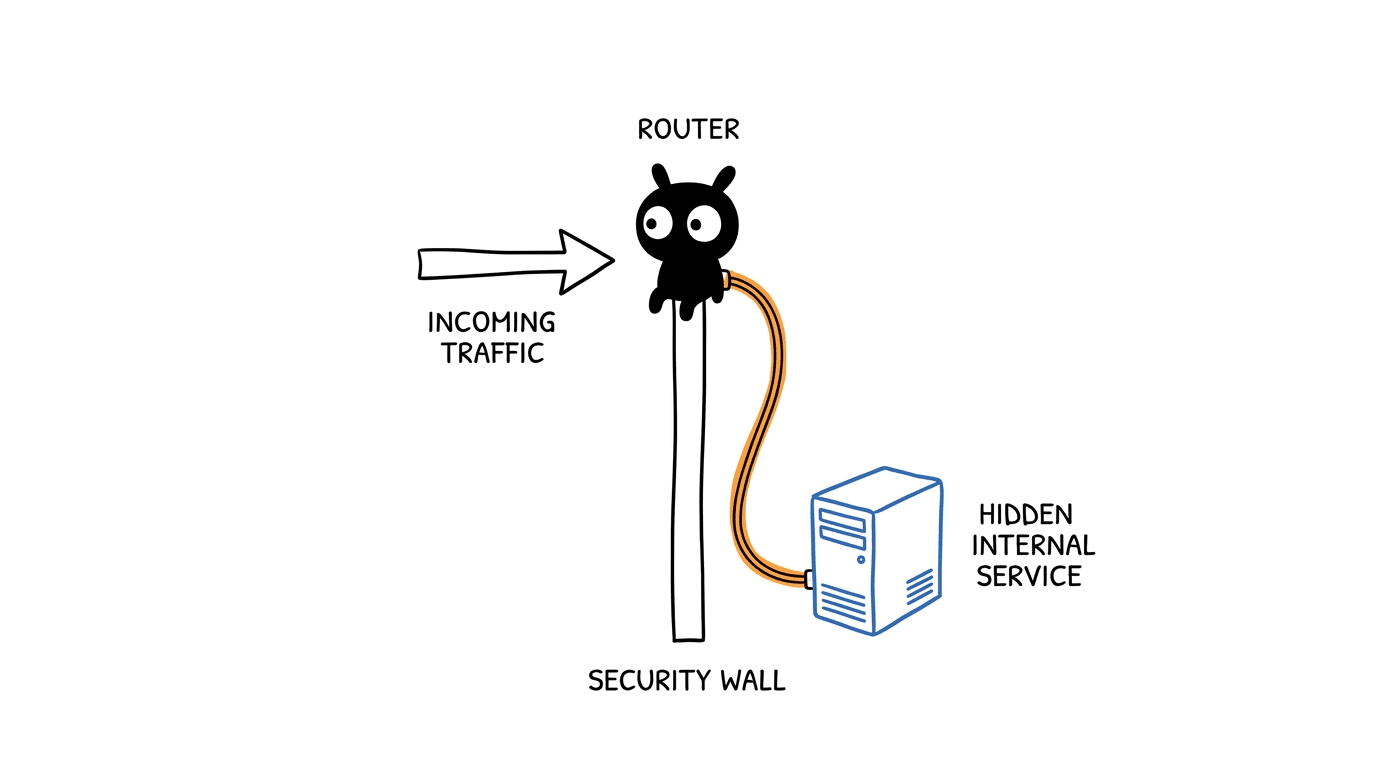
A practical guide to what port forwarding really is, how it works under the hood, and the everyday developer and DevOps scenarios where it shines.
Port Forwarding Explained: From Local Dev to Production Networks
The Simple Definition
Port forwarding is a networking technique that redirects traffic arriving at one address and port to a different address and port — often across machines, networks, or security boundaries.
In plain terms: it is how you make a service running somewhere else feel like it is running on your own machine, or how you let traffic from the outside world reach a service that is otherwise hidden.
The Real-World Analogy
Think of a large office building with a single front-desk receptionist.
- Visitors arrive at the main entrance and ask for "Finance" or "Engineering."
- The receptionist does not bring the whole department downstairs. Instead, they route each visitor to the correct floor, the correct office, and the correct desk.
- The visitor experiences a simple front door, but behind it is a complex internal map.
Port forwarding plays the role of that receptionist for network traffic.
| Office Building | Port Forwarding | |---|---| | Main entrance | Public address and port | | Receptionist | Forwarding rule | | Internal floors and desks | Internal hosts and ports | | Security guard | Firewall / NAT rules | | Visitor | Network packet |
The visitor (packet) thinks they walked directly into the right office. In reality, they were quietly redirected.
How It Works (Step-by-Step)
Port forwarding is conceptually simple, but it involves a few moving parts.
1. A packet arrives at a destination
Every network request has two key pieces:
- a destination IP address (the machine)
- a destination port (the specific service on that machine)
For example, a browser hitting http://example.com:80 is asking machine example.com for whatever service is listening on port 80.
2. The receiving system checks its forwarding rules
The host (a router, a server, a Kubernetes service, an SSH client) checks whether that incoming address-and-port combination matches a forwarding rule.
A rule typically says:
"If traffic arrives at port X on interface A, send it to port Y on host B."
3. The packet is rewritten and redirected
The system rewrites the destination information in the packet header:
- destination IP → new IP
- destination port → new port
Then it forwards the packet onward.
4. The response comes back the same way
The receiving service replies. The forwarder rewrites the return path so the original client never sees the internal address. From the client's perspective, the conversation was always with the public endpoint.
5. The client never knows the difference
That is the whole point. The client speaks to one address. The actual service may be on a different machine, in a different network, behind a firewall, or inside a container.
The Main Types of Port Forwarding
Port forwarding shows up in several flavors. The mechanics are similar, but the use cases differ.
1. Local port forwarding (SSH -L)
"Make a remote service appear on my local machine."
ssh -L 5432:db.internal:5432 bastion.example.com
What this does:
- Opens port
5432on your laptop. - Anything you send to
localhost:5432is tunneled through the SSH connection tobastion.example.com. - From there, it is forwarded to
db.internal:5432.
You connect to a database that is not reachable from the internet, as if it were running locally.
2. Remote port forwarding (SSH -R)
"Expose a service on my local machine to a remote host."
ssh -R 9000:localhost:3000 jump.example.com
What this does:
- Opens port
9000onjump.example.com. - Anyone hitting
jump.example.com:9000is tunneled back tolocalhost:3000on your laptop.
Useful for showing a local app to a teammate, or letting a remote system call into a service running on your machine.
3. Dynamic port forwarding (SSH -D)
"Use my SSH session as a SOCKS proxy."
ssh -D 1080 bastion.example.com
Your browser or tool can be configured to use localhost:1080 as a SOCKS proxy. All its traffic is tunneled through the SSH server, which is handy for reaching multiple internal services without opening individual tunnels.
4. Router / NAT port forwarding
"Let the outside internet reach a service on my home or office network."
A home router has one public IP. Internally, multiple devices share it via NAT. A port forwarding rule says:
"Traffic hitting my public IP on port 25565 should go to the gaming PC at 192.168.1.50 on port 25565."
This is the classic "open a port on the router" scenario.
5. Kubernetes kubectl port-forward
"Reach a pod or service inside the cluster from my laptop."
kubectl port-forward svc/payments 8080:80
What this does:
- Opens port
8080on your laptop. - Tunnels traffic through the Kubernetes API server to port
80of thepaymentsservice.
Excellent for debugging without exposing services publicly.
6. Docker / container port mapping
"Make a port inside a container reachable from the host."
docker run -p 8080:80 nginx
This maps host port 8080 to container port 80. Strictly speaking, this is port publishing via NAT rules, but most engineers call it port forwarding too.
7. VS Code / Codespaces / DevContainers port forwarding
When you run a service inside a container, a Codespace, or over SSH, VS Code automatically detects the port and offers to forward it to your laptop. You hit http://localhost:PORT and the editor handles the tunneling for you.
How It Works Under the Hood
A few low-level mechanisms power all of this:
- NAT (Network Address Translation) rewrites source and destination addresses in packet headers. This is what routers and Docker use.
- iptables / nftables on Linux define the rules that decide which traffic gets redirected where.
- SSH tunneling wraps TCP traffic inside an encrypted SSH channel and re-emits it on the other side.
- Userspace proxies (like
kubectl port-forwardor VS Code's forwarder) accept connections on a local socket and copy bytes back and forth over a control channel.
The common idea across all of them is the same: accept on one socket, relay to another, transparently for the client.
Why It Matters
1. Reach private services safely
Databases, internal APIs, and admin panels often have no public IP. Port forwarding lets you reach them through a controlled hop (SSH bastion, Kubernetes API, VPN) without exposing them to the internet.
2. Debug without deploying
Forward a port from a staging cluster or a production-like VM and attach your local debugger to it. No need to deploy a custom build just to inspect behavior.
3. Local development against real backends
Run your frontend on your laptop, forward the backend port from a remote environment, and develop against real data without standing up everything locally.
4. Share work in progress
Remote forwarding or tools like code tunnel let a teammate hit a service running on your machine, even if you are behind NAT.
5. Bridge network boundaries
Different VPCs, subnets, on-prem networks, or cloud accounts often cannot talk directly. A jump host with port forwarding becomes a controlled doorway between them.
6. Run multiple services on one IP
A single public IP can host many services on different ports — web on 443, SSH on 22, game server on 25565 — each forwarded to the right internal machine.
7. Enable containerized workloads
Docker, Kubernetes, and serverless platforms all rely on port forwarding (and its cousin, port publishing) to expose workloads that live inside isolated network namespaces.
A Few Practical Examples
Reach an internal PostgreSQL through a bastion
ssh -L 5432:postgres.prod.internal:5432 ritu@bastion.example.com
psql -h localhost -U app_user -d app_db
Show your local web app to a teammate
ssh -R 8080:localhost:3000 share.example.com
# Teammate visits http://share.example.com:8080
Debug a pod inside an EKS cluster
kubectl port-forward pod/api-7c9d-abcde 9229:9229
# Attach your local Node.js debugger to localhost:9229
Expose a containerized API on your laptop
docker run -d -p 8000:8000 my-api:latest
curl http://localhost:8000/health
Security Considerations
Port forwarding is powerful, which means it deserves discipline:
- Treat every forward as a hole in your network boundary. It is, by definition.
- Bind to
localhostwhenever possible. SSH local forwards default to127.0.0.1, which is what you usually want. Adding-gor binding to0.0.0.0exposes the tunnel to your whole LAN. - Audit router NAT rules. Forgotten "open ports" on home or office routers are a classic attack surface.
- Use short-lived tunnels. Open the tunnel, do the work, close it. Long-running ad-hoc tunnels drift out of inventory.
- Prefer identity-aware proxies and VPNs for permanent access patterns. SSH tunnels are great for ad-hoc work, less great as standing infrastructure.
- Log and monitor jump hosts. A bastion that forwards ports for the whole team is a high-value target.
- In Kubernetes, prefer
port-forwardfor debugging only. For real traffic, use Services, Ingress, or Gateway API.
Key Takeaways
- Port forwarding is the universal trick for making a service in one place feel like it lives in another, across machines, networks, and security boundaries.
- It shows up everywhere: SSH tunnels, routers, Docker, Kubernetes, Codespaces, and VS Code Remote — all built on the same accept-and-relay idea.
- It is incredibly useful for debugging, secure access, and local development, but every forward is a doorway — design and audit it like one.
Final Thought
Most networking magic in modern development — reaching a database through a bastion, debugging a pod, exposing a containerized service, sharing a local app with a teammate — is just port forwarding wearing different costumes. Once you internalize the pattern, a lot of the cloud and DevOps tooling stack stops feeling like separate tricks and starts looking like the same trick applied with care.